
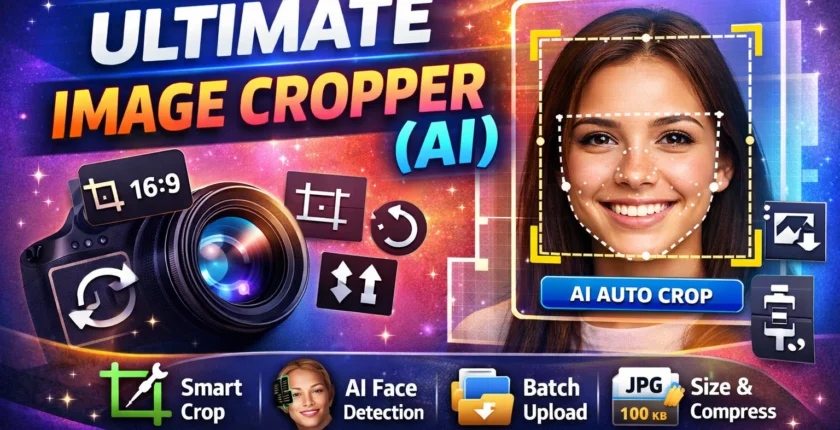
Ultimate Image Cropper (AI)
Ultimate Image Cropper AI
Smart Crop • AI Face Crop • Background Remove • 4K Export
Ultimate Image Cropper AI: Intelligent Image Cropping That Actually Understands Your Content
Yet cropping images remains one of the most underestimated tasks in digital work. A poor crop cuts faces, hides products, or ruins balance. A good crop feels invisible. It just works.
That is where Ultimate Image Cropper AI steps in.
This tool does more than resize images. It understands them. It knows what matters inside a frame and makes smart decisions in seconds. For creators, businesses, and educators, it removes frustration and saves serious time.
Let’s explore how it works, why it matters, and how it fits into real-world workflows.
What Is Ultimate Image Cropper AI?
Ultimate Image Cropper AI is an advanced image editing solution that uses artificial intelligence to crop images automatically with precision and context awareness.
Instead of dragging boxes manually, users rely on AI that analyzes the image and keeps the most important elements in focus.
It recognizes:
- Human faces and expressions
- Products and objects
- Text and safe areas
- Visual balance and composition
The result is a clean, professional crop designed for real use cases, not guesswork.
Why Image Cropping Has Become a Serious Problem
Digital content has exploded. One image is no longer enough. The same visual is reused across multiple platforms, each with different size rules.
Here is the problem:
- Instagram prefers square and vertical formats
- Blogs need wide feature images
- Ecommerce demands centered product shots
- Ads have strict safe zones
Manually cropping each version wastes time and still leads to mistakes.
Industry data shows that visuals optimized for platform requirements can improve engagement by over 30 percent. Cropping is no longer cosmetic. It is strategic.
How Ultimate Image Cropper AI Works
The AI behind the tool uses computer vision models trained on millions of images.
The process is simple but powerful:
- The AI scans the image
- It identifies the main subject
- It analyzes balance, edges, and focal points
- It applies the best crop based on the selected format
This happens in seconds. No design skills required.

Key Features That Make Ultimate Image Cropper AI Stand Out
Smart Subject Awareness
The AI understands what deserves space.
- Faces stay centered
- Products remain fully visible
- Important details are preserved
This is crucial for profile photos, thumbnails, and product listings.
Platform-Optimized Cropping Presets
Different platforms demand different compositions. The tool already knows this.
It supports optimized cropping for:
- Social media posts and stories
- Blog featured images
- YouTube thumbnails
- Ecommerce product displays
- Online course visuals
You select the platform. The AI handles the rest.
Batch Cropping for High-Volume Work
This is a major advantage for professionals.
You can upload multiple images, apply one set of rules, and let the AI crop everything consistently.
A small online store shared that switching to AI batch cropping reduced image preparation time by more than half while improving visual uniformity across the catalog.
Face and Emotion Protection
Cutting a face at the wrong angle looks careless.
Ultimate Image Cropper AI preserves:
- Eye level
- Natural spacing
- Facial expressions
This builds trust, especially for educators, coaches, and personal brands.
No Quality Loss
AI cropping does not mean blurry images.
The tool:
- Maintains resolution
- Avoids unnecessary scaling
- Keeps images sharp and clear
That matters for both web performance and professional presentation.
Who Should Use Ultimate Image Cropper AI?
Bloggers and Website Owners
Feature images influence click behavior more than headlines alone.
Well-cropped visuals:
- Improve time on page
- Encourage sharing
- Strengthen brand consistency
AI cropping ensures your visuals always look intentional.
Ecommerce Sellers
Product images drive conversions.
AI cropping helps by:
- Centering products correctly
- Removing distracting edges
- Keeping listings visually consistent
This directly supports buyer confidence.
Digital Marketers and Advertisers
Ads fail when visuals miss the mark.
Ultimate Image Cropper AI:
- Keeps text inside safe zones
- Focuses on the main visual message
- Reduces ad rejection rates
It saves both time and ad spend.
Teachers and Online Educators
Learning visuals need clarity, not clutter.
AI cropping ensures:
- Important diagrams stay visible
- Thumbnails look professional
- Slides remain balanced
This improves learner experience without extra effort.

Real-Life Scenario: Fixing Inconsistent Visuals
A growing content website published daily articles using images from different sources.
Before AI:
- Inconsistent image sizes
- Crops cut faces and text
- Visuals looked unprofessional
After adopting Ultimate Image Cropper AI:
- All images followed a unified format
- Faces and subjects stayed centered
- Social sharing engagement increased noticeably
Consistency built credibility.
SEO and Performance Benefits of Better Cropping
Image optimization is part of modern SEO.
Proper cropping:
- Improves user engagement signals
- Reduces bounce rates
- Supports better visual layout
- Enhances perceived content quality
Search engines may not “see” images like humans, but they measure how users react to them.
AI Cropping vs Manual Editing
Manual editing has its place. But not everywhere.
AI excels at:
- Speed
- Consistency
- Large-scale processing
Human designers excel at:
- Creative direction
- Branding decisions
- Story-driven visuals
The strongest workflows combine both.
Data Privacy and Trust Factors
Trust matters when uploading images.
A reliable AI cropper ensures:
- Temporary image processing
- Secure handling
- Clear privacy policies
Always choose tools that respect user data and transparency.
Best Practices to Get the Most Out of AI Cropping
Follow these simple rules:
- Start with high-quality images
- Choose the correct platform format
- Review key images manually
- Keep branding requirements in mind
- Use batch processing for repetitive tasks
AI works best when guided well.
Where AI Image Cropping Is Headed Next
This technology is evolving fast.
Future developments include:
- Context-aware cropping for storytelling
- Brand-style recognition
- Smart background replacement
- Real-time optimization for new platforms
Tools like Ultimate Image Cropper AI are shaping the future of visual content.
Final Thoughts: Why Ultimate Image Cropper AI Matters
Good images feel effortless. Bad ones distract instantly.
Ultimate Image Cropper AI removes guesswork from visual work. It helps creators focus on content, businesses focus on growth, and educators focus on teaching.
If you work with images regularly, this tool is not just convenient. It is practical.
Start using AI to crop smarter, faster, and with confidence.
FAQ’s
Is Ultimate Image Cropper AI beginner-friendly?
Yes. No design or editing experience is required.
Can it handle social media image formats?
It supports common social, web, and ecommerce formats.
Does AI cropping work for text-heavy images?
It supports common social, web, and ecommerce formats.
Does AI cropping work for text-heavy images?
Yes, it avoids cutting critical text areas.
Is batch image processing available?
Yes, it is designed for high-volume workflows.
Will cropped images load faster on websites?
Better sizing and composition often improve page performance.
Is AI cropping suitable for professional use?
Yes. Many businesses rely on it daily.
Pingback: Image Compressor Tool: Cut Image Size Without Losing Quality
Wow amazing image Cropper tool
Easy to use and attractive for free.😍👌
Pingback: Word Counter & Read Time Calculator: Write Smarter, Rank Faster, and Keep Readers Hooked
Pingback: Investment vs Gambling: Why Affiliate Marketing Is Not a Gamble 2026